
dmaya vs PNG to Cursor
Side-by-side comparison to help you choose the right tool.

dmaya
AI vibe design platform for agencies and teams. Chat with AI, generate UI designs, get client approval, and export to code.

PNG to Cursor
Turn any PNG image into a fully functional, custom cursor for your website instantly!.
Last updated: February 28, 2026
Visual Comparison
dmaya
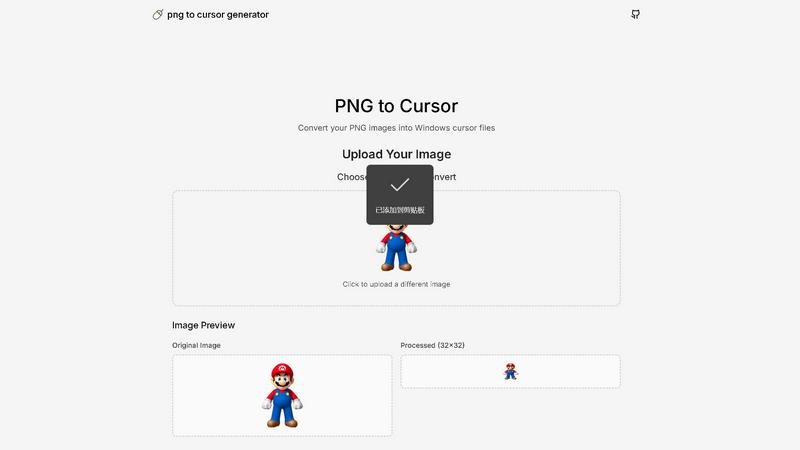
PNG to Cursor
Overview
About dmaya
Vibe design platform built for agencies, teams, and freelancers who need to design before they code. dMaya lets you chat with an AI agent to generate professional UI designs from text descriptions. Describe a SaaS dashboard, an e-commerce flow, or a mobile app and get polished screens in seconds.
Iterate through conversation. Ask the AI to change colors, swap layouts, adjust typography, or add sections. Every change is instant and precise. Design tokens keep everything consistent across all screens automatically.
When ready, share a preview link with your client. They review in the browser, leave feedback, and approve. No account needed. The review cycle that used to take days now happens in minutes.
Once approved, export as clean HTML, CSS, and JS code. Hand it to Cursor, Claude Code, or any coding agent to build in React, Next.js, Flutter, or whatever your team uses.
Most AI tools skip design and go straight to code. dMaya gives you the visual design step where you make intentional decisions, catch problems early, and align your team before development starts. Built for teams that present, approve, and ship with confidence.
About PNG to Cursor
Tired of the same old boring mouse cursor on your Windows PC? It's time for a personal revolution! PNG to Cursor is your ultimate, free online toolkit for transforming any PNG or JPEG image into a fully functional, custom Windows cursor pack! This powerful generator is designed for creators, gamers, streamers, and anyone who wants to inject a massive dose of personality into their digital workspace. Forget complicated software or expensive subscriptions! With just a few clicks, you can upload your favorite logo, character, or design and watch it become the star of your desktop! The magic happens with its intelligent AI pixelation engine, which expertly converts your image into crisp, clear pixel art perfect for cursor use. But it doesn't stop at a single static icon! PNG to Cursor automatically generates a COMPLETE set of cursor states - from the normal arrow and busy spinning wheel to the precise crosshair and text select I-beam - ensuring your custom theme works flawlessly across all applications. It even creates animated .ANI files for dynamic states! The tool outputs a ready-to-install ZIP file, complete with an automatic installer, making setup on Windows incredibly simple. Best of all? It's 100% free, requires no sign-up, and adds no watermarks. Unleash your creativity and redefine your point-and-click experience today!