
DigitalMagicWand vs SVG to 3D
Side-by-side comparison to help you choose the right tool.

DigitalMagicWand
Unlock your creativity with DigitalMagicWand, the all-in-one AI tool for transforming visuals, audio, video, and text effortlessly!.
Last updated: March 18, 2026
SVG to 3D
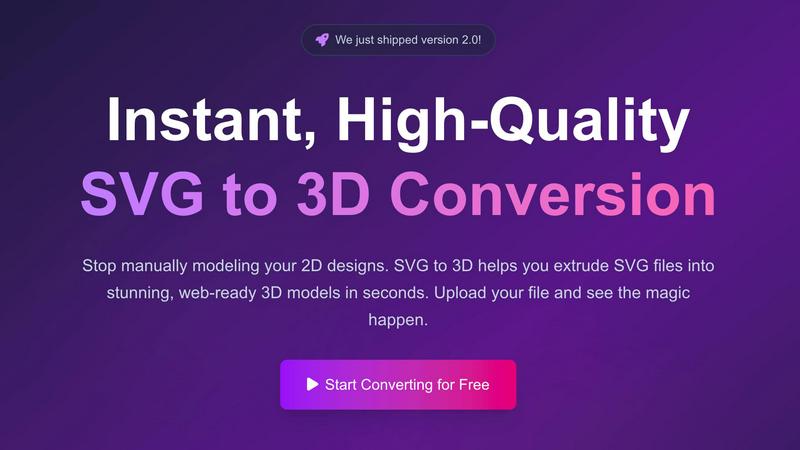
Effortlessly convert your SVG designs into stunning, professional 3D models in seconds with SVG to 3D!.
Last updated: February 26, 2026
Visual Comparison
DigitalMagicWand

SVG to 3D
Feature Comparison
DigitalMagicWand
Accurate AI Detector for Text
With just one click, you can determine if a piece of text was written by a human or generated by AI! Our Accurate AI Detector gives you clear confidence scores, eliminating guesswork and uncertainty. Perfect for researchers, educators, and content creators who want to ensure authenticity in their documents!
Undetectable AI Text Humanizer
Transform machine-generated text into natural, human-like writing! Our Undetectable AI Text Humanizer uses advanced linguistic algorithms to remove statistical patterns that trigger AI detectors while keeping your original message intact. Ideal for anyone needing to create authentic-sounding narratives across various contexts!
Digital Ear™: Convert Piano Tracks to MIDI
Unlock the full potential of your piano recordings with Digital Ear™! This specialized tool accurately transcribes solo piano performances into MIDI format, capturing the nuances and complexities of your music. Musicians can easily convert their creativity into digital formats, perfect for composition and arrangement!
UnMixIt™ Pro: Stems for Musicians & DJs
Take your music production to the next level with UnMixIt™ Pro! This powerful tool allows you to isolate vocals, drums, bass, and other instruments with studio-grade precision. Perfect for producers, DJs, and audio professionals looking to create clean stems for remixing or restoring archival content without hassle!
SVG to 3D
One-Click GLB Export
Experience the ease of exporting your 3D models directly as GLB files optimized for web use! This feature is perfect for web developers who want to seamlessly integrate high-quality 3D assets into their Three.js or React Three Fiber projects without any hassle.
3D-Print Ready STL Files
Transform your designs into tangible creations with our clean STL exports! This feature ensures your models are ready for 3D printing, allowing you to bring your logos, artwork, and custom designs into the physical world without the need for complex CAD software.
Fine-Tuning Controls
Take your 3D modeling to the next level with our comprehensive fine-tuning controls! Adjust thickness, bevels, and apply realistic PBR materials, all while watching real-time previews as you make changes. This level of detail guarantees that your final product looks professional and polished.
Fast Processing Speed
Say goodbye to long waits! Our optimized algorithms enable lightning-fast processing, converting your SVG files into 3D models in seconds. This means you can spend more time creating and less time waiting, making SVG to 3D the fastest conversion tool available online!
Use Cases
DigitalMagicWand
Enhance Your Creative Projects
Use DigitalMagicWand to elevate your creative projects, whether you're designing a presentation, crafting a blog post, or producing a video! Our tools simplify the process of generating high-quality content, allowing you to focus on your vision and get professional results in no time!
Music Production Made Easy
Transform your music production workflow with our audio tools! Isolate specific parts of songs, create karaoke tracks, or transcribe performances into MIDI. Whether you're a seasoned musician or a beginner, our apps provide the flexibility and ease you need to create amazing music!
Effortless Content Verification
For educators, journalists, and content creators, ensuring the authenticity of written material is crucial! With our AI Detector, you can quickly verify the source of any text, making it easier to maintain credibility and trust in your work. Get instant confidence scores to back your findings!
Stunning Visuals in Seconds
Bring your ideas to life with our image generation tools! Create stunning visuals from simple text descriptions or edit photos with just a few clicks. Perfect for marketers, designers, and social media managers looking to produce eye-catching content quickly and professionally!
SVG to 3D
Interactive Web Logos
Elevate your web projects by transforming simple SVG icons into interactive 3D logos! With SVG to 3D, you can create engaging user experiences that captivate visitors and make your brand stand out through stunning visuals.
3D Models for UI/UX Design
Make your UI/UX designs pop with depth and dimensionality! Use SVG to 3D to quickly mock up and present user interface elements that impress clients and stakeholders, enhancing your presentations and design proposals.
Prototyping for 3D Printing
Bring your 2D designs to life by creating prototypes for 3D printing! Our tool ensures your models are ready for fabrication, allowing designers and engineers to visualize their concepts and test functionality without extensive modeling work.
Game Development Assets
Game developers can seamlessly integrate 3D models created from SVG designs into their projects! Whether you need assets for characters, environments, or interactive elements, SVG to 3D provides a quick and efficient solution to enhance your gaming experiences.
Overview
About DigitalMagicWand
DigitalMagicWand™ is your all-in-one online platform that harnesses the power of artificial intelligence to revolutionize the way you create and process digital content! Whether you're a professional content creator, a musician, an artist, or just someone who loves playing with digital media, DigitalMagicWand is designed for you! Our suite of AI-powered tools enables you to enhance, transform, and craft stunning images, audio, video, and text effortlessly. No need for technical expertise—just your imagination and our cutting-edge technology! With features like image editing, audio isolation, text generation, and more, you’ll discover limitless creative possibilities. Save time, improve quality, and unleash your creativity with DigitalMagicWand, where magic meets technology!
About SVG to 3D
SVG to 3D is a groundbreaking online tool designed to revolutionize the way designers, developers, and 3D printing enthusiasts transform their 2D vector graphics into stunning 3D models! With its user-friendly interface and powerful processing capabilities, SVG to 3D allows users to convert SVG files into high-quality, web-ready 3D models in just seconds! No more struggling with heavyweight software like Blender or C4D; this tool simplifies the modeling process while maintaining professional quality. Whether you are a web developer wanting to add depth to your projects or a designer looking to create striking visuals, SVG to 3D is your go-to solution. Its advanced features and lightning-fast processing make it the perfect companion for anyone looking to enhance their designs and bring their ideas to life!
Frequently Asked Questions
DigitalMagicWand FAQ
What types of content can I create with DigitalMagicWand?
DigitalMagicWand allows you to create a variety of content types including images, audio, video, and text! Our AI tools cater to different creative needs, making it easy for you to enhance and transform your projects.
Is DigitalMagicWand user-friendly for beginners?
Absolutely! Our platform is designed for users of all skill levels. With intuitive interfaces and easy-to-follow instructions, anyone can start creating professional-quality content without needing technical expertise!
Can I use DigitalMagicWand for commercial purposes?
Yes! DigitalMagicWand's tools are suitable for both personal and commercial use. Whether you're a freelancer, a business owner, or an educator, you can leverage our platform to produce high-quality content for any purpose!
How does the AI Detector work?
Our AI Detector analyzes text to determine its origin—whether it was written by a human or generated by AI. It provides confidence scores based on linguistic patterns, enabling you to make informed decisions about the authenticity of your content.
SVG to 3D FAQ
How does SVG to 3D work?
SVG to 3D allows you to upload SVG files directly to the platform, where our algorithms instantly convert them into 3D models. You can then adjust various settings and export the model in multiple formats.
What file formats can I export my 3D models to?
You can export your 3D models in various formats, including GLB, GLTF, OBJ, and STL, ensuring compatibility with a wide range of 3D applications and projects.
Is there a limit on the file size I can upload?
Yes, the maximum file size for uploads is 5 MB. This allows for the efficient processing of your designs while maintaining high-quality outputs.
Do I need to create an account to use SVG to 3D?
No registration is required! You can start converting your SVG files into 3D models instantly, making it hassle-free and accessible to everyone.
Alternatives
DigitalMagicWand Alternatives
DigitalMagicWand is an innovative online platform that harnesses the power of AI to help users enhance, transform, and create stunning digital content. With tools for visuals, audio, video, and text processing, it falls under the category of AI Assistants, catering to a variety of creative needs! However, users often seek alternatives to DigitalMagicWand for several reasons, such as pricing, feature availability, or specific platform requirements. When searching for an alternative, it’s essential to consider factors like usability, the range of tools offered, and how well the platform integrates with your existing workflow. Finding the right fit can elevate your digital content creation experience to new heights!
SVG to 3D Alternatives
SVG to 3D is an innovative tool designed to transform your 2D designs into stunning 3D models effortlessly! As part of the AI Assistants category, it addresses a common frustration among designers and developers who struggle with complex 3D modeling software. Users often seek alternatives due to reasons such as pricing, an overwhelming number of features, or specific platform compatibility needs that may not align with their workflow. When choosing an alternative, consider the ease of use, the quality of the output, and the specific features that fit your project requirements. Look for options that provide efficient export formats, seamless integration with your existing tools, and the ability to enhance your designs without the steep learning curve typically associated with traditional 3D modeling software.