

Alternatives to Voor AI
Create stunning AI images, videos, and audio in seconds with one powerful unified studio.
Explore 20 alternatives to Voor AI. Compare features, pricing, and find the best fit for your needs.


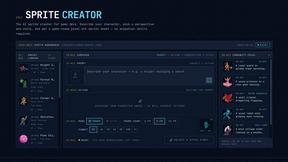
Sprite Sheet Maker
Create pixel-art sprite sheets from text with AI, preview animations, and export PNG assets for game prototypes.
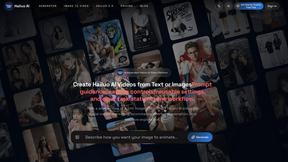
Hailuo AI
Hailuo AI turns prompts and images into videos with Hailuo 2.3, guided motion and camera controls, task tracking, downloads, and API access.
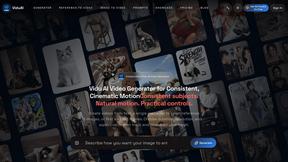
ViduAI
Independent Vidu AI video generator for consistent videos from text, images, references, and first or last frames.
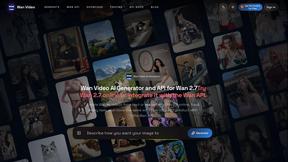
TryKlingAI
Kling AI video generator with Kling 3.0, Motion Control, Lip Sync, and API workflows.
Motion Control AI
Create motion-controlled character videos by transferring dance, gestures, body movement, timing, and camera rhythm from a reference video.
Ideogram Studio
Ideogram 4 AI workflows for text-perfect logos, posters, ads, packaging, and ecommerce visuals with prompts and image references.
Seedream 5.0
Seedream 5.0 Pro and Lite generate and edit production-ready images for ecommerce, marketing, social, and branded content.

amaze.directory
Every AI tool here was opened and used on a real task before it went in. Free to submit.

Startup.Ready.
A free 20-minute assessment that scores your startup across six foundational pillars and routes you to the work that closes the gaps.

Motiofy
Motiofy is an AI creative workspace that helps creators and teams turn ideas into polished visual stories.

Speechyou
AI transcription for voice notes, meetings, and audio files in 1,700 languages, with AI summaries and subtitle export and unlimited chat ai usage.

ProspectHalo
AI sales agent that finds qualified leads, runs outreach, follows up automatically, creates content, and helps book more meetings.

benchmark.directory
An independent directory of 146 AI tools. Every listing was paid for, set up and used on real work. Nobody can buy a place or a score.

Explainer Video
AI explainer video generator for clear animated stories from topics, scripts, URLs, or PDFs.

saasgrow.ai
The shortcut to the right SaaS. saasgrow.ai is a screened directory of growth tools, organised by what you're trying to do rather than by who paid.
About Voor AI Alternatives
Are you ready to push the boundaries of your creative projects with the power of generative AI? Voor AI is a unified browser-based studio that lets you generate stunning videos, images, and audio using a single prompt, making it a standout in the categories of AI Assistants, Content Creation, Design Tools, and Video. While Voor AI delivers production-quality results in seconds with features like text-to-video, image-to-video, and shared credits in a secure workspace, you might be exploring other options to find a tool that better fits your specific workflow or budget. Whether you are looking for a different pricing model, a more specialized feature set, or a platform that integrates with your existing tools, the search for the perfect alternative is all about matching your unique creative vision. When evaluating your next creative powerhouse, focus on what matters most for your projects: the quality and speed of output, the range of supported modalities like video, image, and audio, and the ease of collaboration through shared credits. You should also consider the flexibility of editing tools and workflows that allow you to iterate rapidly without leaving your browser. The ideal alternative will offer a seamless experience that empowers you to go from idea to finished asset in record time, so look for a platform that feels like an extension of your own creative process and helps you produce jaw-dropping content with every single prompt!
FAQs about Voor AI Alternatives
What is Voor AI?
Voor AI is a unified, browser-based creation platform designed to generate high-quality video, image, and audio content using a single prompt. It acts as a comprehensive studio that combines text-to-video, image-to-video, text-to-image, and editing tools into one secure workspace. With Voor AI, you can produce production-quality results in seconds across multiple media modalities.
Who is Voor AI for?
Voor AI is built for content creators, designers, marketers, and video producers who need to rapidly generate professional-grade visual and audio assets. It is ideal for anyone looking to streamline their creative workflow by using a single tool for text-to-video, image-to-video, and text-to-image generation. Whether you are a solo creator or part of a team, its shared credits and collaborative features make it accessible for both individuals and organizations.
Is Voor AI free?
The provided product content does not specify a free tier, but Voor AI operates on a shared credits system for generating content within its secure workspace. Users should check the official website for the most current pricing details, including any free trial options or subscription plans. Typically, platforms like this offer tiered access based on usage volume and feature requirements.
What are the main features of Voor AI?
Voor AI's main features include text-to-video, image-to-video, text-to-image generation, along with built-in editing tools and customizable workflows. It supports multiple modalities from a single prompt, allowing you to create videos, images, and audio in one unified studio. Additionally, it offers a secure workspace with shared credits, enabling team collaboration without compromising on speed or production quality.