

Alternatives to Seedream 5.0 Pro
Generate professional images and dense text layouts with Seedream 5.0 Pro, then instantly compare results across Lite, GPT, and FLUX models.
Explore 20 alternatives to Seedream 5.0 Pro. Compare features, pricing, and find the best fit for your needs.
Rhinobird
AI video ads, UGC-style videos, and product visuals for cross-border sellers and e-commerce brands.

SciDrawer AI
AI scientific diagram maker for publication-ready visuals from research questions, sketches, and reference figures.
kimik3
Independent Kimi K3 guide and free playground with tutorials, prompts, pricing info, and direct access.
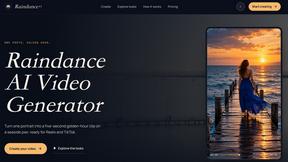
Raindance AI
Turn one portrait into a cinematic seaside video with golden-hour styles, natural motion, and vertical formats for social media.
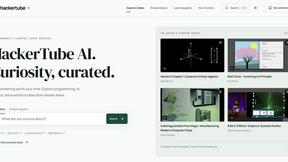
HackerTube AI
Community-curated video archive for programming, AI, mathematics, science, technology, history, design, and more.

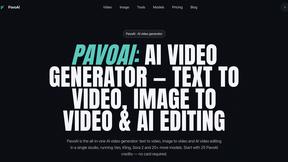
PavoAI
AI video creation studio for text-to-video, image-to-video, editing, avatars, music, subtitles, and upscaling.

AIVideoAgent
Turn text ideas or reference images into videos through conversation, with agent-assisted prompts and a choice of video models.

Easemic
Open-source Android comic & manga reader with encrypted cloud streaming and AI ad-page stripping.

LaunchIntel
Your AI agent picks relevant directories, submits your product in your browser and tracks every step. One-time purchase.
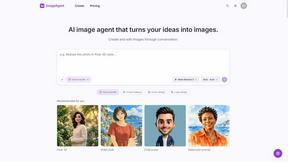
ImageAgent
Create and edit AI images through conversation, using text or reference images and refining results in chat.


ToolVerified
The software directory where real people test the links so you do not have to. Ranked by community votes, free of bots and spam.
GenX
All-in-one AI workspace to generate images, videos, and audio with multiple leading AI models.

Bloom
An adaptive AI tutor that turns topics or your materials into courses, lessons, and answers tailored to how you learn.
AiAgeFilter
Free AI age filter: upload an adult portrait, add 10-40 years, meet your older self. No app needed.

AppIconGenerator
Generate iOS and Android app icons from any image and export all platform sizes for free.
FreeCreate
Create AI images from text or reference photos and turn prompts or still images into short videos with FreeCreate. Start free—no account needed.
About Seedream 5.0 Pro Alternatives
Are you ready to take your visual storytelling to the next level? Seedream 5.0 Pro is a powerhouse in the AI image generation space, specifically designed for creators who need dense layouts, multilingual text integration, and that polished, production-ready finish. It sits right at the intersection of AI Assistants, Content Creation, and Design Tools, making it a go-to for professional workflows. However, even the best tools can have you looking for a change. Users often start hunting for alternatives because of specific pricing constraints, a need for a more streamlined feature set for simpler projects, or a desire to explore different platform integrations and output styles that better fit their unique creative process. When you’re on the hunt for the perfect alternative, don’t just jump at the first shiny option you see! You need to zero in on what truly matters for your workflow. Start by evaluating the core output quality—does the alternative handle text in images as cleanly? Next, consider the user interface; if Seedream 5.0 Pro feels too complex, look for something more intuitive, and vice versa. Finally, always check the security protocols and licensing terms to ensure your commercial projects are fully protected. The goal is to find a tool that matches your energy, whether that means faster generation speeds, a lower price point, or a different approach to creative control.
FAQs about Seedream 5.0 Pro Alternatives
What is Seedream 5.0 Pro?
Seedream 5.0 Pro is a professional-grade image generation workspace built for high-stakes content creation. It specializes in producing dense, complex layouts with accurate multilingual text, making it ideal for polished production output. It is categorized as a tool for AI Assistants, Content Creation, Design Tools, and Image Generation.
Who is Seedream 5.0 Pro for?
This tool is designed for professionals who need more than just a simple image generator. It is perfect for graphic designers, marketing teams, and content creators who require dense informational graphics, multilingual assets, and a secure environment for their work. If your workflow demands production-ready visuals with precise text placement, this is built for you.
Is Seedream 5.0 Pro free?
As a professional-grade workspace, Seedream 5.0 Pro typically operates on a premium or subscription-based model rather than being free. The pricing reflects its advanced capabilities, such as handling dense layouts and multilingual text. Users should check the official pricing page for the most current free trial options or tiered plans.
Why choose Seedream 5.0 Pro over other generators?
You should choose Seedream 5.0 Pro when your priority is polished, production-level output that integrates complex text and images seamlessly. It stands out for its ability to handle dense layouts and multiple languages in a single secure generator. For users who need a reliable, professional workspace rather than a casual image maker, this tool offers the precision and security required for commercial use.