

Alternatives to Seedance 2.5 AI
Generate videos now with nine Seedance 2.0 modes while tracking the upcoming 2.5 release for even more creative power.
Explore 20 alternatives to Seedance 2.5 AI. Compare features, pricing, and find the best fit for your needs.


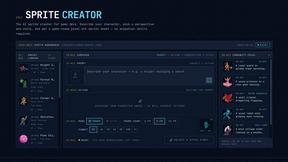
Sprite Sheet Maker
Create pixel-art sprite sheets from text with AI, preview animations, and export PNG assets for game prototypes.

Hailuo AI
Hailuo AI turns prompts and images into videos with Hailuo 2.3, guided motion and camera controls, task tracking, downloads, and API access.


TryKlingAI
Kling AI video generator with Kling 3.0, Motion Control, Lip Sync, and API workflows.

Motion Control AI
Create motion-controlled character videos by transferring dance, gestures, body movement, timing, and camera rhythm from a reference video.


Ideogram Studio
Ideogram 4 AI workflows for text-perfect logos, posters, ads, packaging, and ecommerce visuals with prompts and image references.

Seedream 5.0
Seedream 5.0 Pro and Lite generate and edit production-ready images for ecommerce, marketing, social, and branded content.


amaze.directory
Every AI tool here was opened and used on a real task before it went in. Free to submit.

Startup.Ready.
A free 20-minute assessment that scores your startup across six foundational pillars and routes you to the work that closes the gaps.

Motiofy
Motiofy is an AI creative workspace that helps creators and teams turn ideas into polished visual stories.

Speechyou
AI transcription for voice notes, meetings, and audio files in 1,700 languages, with AI summaries and subtitle export and unlimited chat ai usage.

ProspectHalo
AI sales agent that finds qualified leads, runs outreach, follows up automatically, creates content, and helps book more meetings.

benchmark.directory
An independent directory of 146 AI tools. Every listing was paid for, set up and used on real work. Nobody can buy a place or a score.

Explainer Video
AI explainer video generator for clear animated stories from topics, scripts, URLs, or PDFs.

saasgrow.ai
The shortcut to the right SaaS. saasgrow.ai is a screened directory of growth tools, organised by what you're trying to do rather than by who paid.

Tools Network
Tools Network is a curated directory of the best AI tools across 25+ categories — compare ratings, pricing, and features to find the right one fast.
About Seedance 2.5 AI Alternatives
Seedance 2.5 AI is a dynamic and focused video generation workspace that sits at the cutting edge of the AI Assistants, Content Creation, and Design Tools categories. It empowers creators to track the latest Seedance 2.5 release while leveraging the robust capabilities of nine distinct Seedance 2.0 video modes, allowing users to generate stunning videos from text prompts, images, or reference clips, all while adding native audio for a complete package. This tool is built for speed and flexibility, offering Mini, Fast, and Standard tiers to match different project scales and urgency levels. However, users often find themselves looking for alternatives due to a variety of practical needs, such as seeking more flexible pricing models, desiring a wider range of output styles, or requiring deeper integration into their existing creative workflows. Some may need platforms that offer more granular control over video parameters, higher resolution outputs, or specific features like advanced lip-syncing or longer generation durations that aren't fully covered by Seedance 2.5 AI’s current tiers. When choosing an alternative, it is crucial to evaluate the platform’s core strengths in text-to-video, image-to-video, and reference-to-video capabilities, as well as its audio integration, rendering speed, and overall cost-effectiveness for your specific content creation goals.
FAQs about Seedance 2.5 AI Alternatives
What is Seedance 2.5 AI?
Seedance 2.5 AI is a focused video generation workspace that tracks the Seedance 2.5 release while providing access to nine Seedance 2.0 video modes. It allows users to generate videos from text, images, and reference workflows, and it includes native audio integration for a complete multimedia output. The platform is designed to be a streamlined environment for creators who need fast, tiered video generation options.
Who is Seedance 2.5 AI for?
Seedance 2.5 AI is built for content creators, marketers, designers, and video editors who need to rapidly produce AI-generated videos without deep technical expertise. It is ideal for professionals in the AI Assistants, Content Creation, and Design Tools categories who want to experiment with different video generation methods like text-to-video or image-to-video. The platform serves both casual users needing quick clips and power users who require faster rendering through its tiered system.
What are the main features of Seedance 2.5 AI?
The main features include three distinct generation tiers: Mini, Fast, and Standard, which cater to different speed and quality needs. It supports three primary workflows: text-to-video, image-to-video, and reference-to-video, all powered by nine Seedance 2.0 video modes. Additionally, it offers native audio generation, allowing users to create videos with synchronized sound directly within the workspace.
Is Seedance 2.5 AI free?
Seedance 2.5 AI does not appear to be entirely free, as it offers Mini, Fast, and Standard tiers, which typically indicate a freemium or paid subscription model. The Mini tier likely provides basic access or limited generations for free, while the Fast and Standard tiers require payment for higher priority processing and more advanced features. Users should check the official platform for the most current pricing and availability of a free tier.