

Alternatives to Easymotion - AI Motion Graphic Generator
Create stunning motion graphics, map animations, and social videos in minutes by simply chatting with AI.
Explore 20 alternatives to Easymotion - AI Motion Graphic Generator. Compare features, pricing, and find the best fit for your needs.
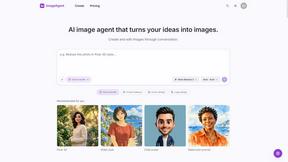
ImageAgent
Create and edit AI images through conversation, using text or reference images and refining results in chat.


Hotel Lobby AI
Hotel Lobby AI transforms two separate portraits into a stylish duet video inside an orange recording booth, generating a vertical MP4 with transferre
GenX
All-in-one AI workspace to generate images, videos, and audio with multiple leading AI models.

Bloom
An adaptive AI tutor that turns topics or your materials into courses, lessons, and answers tailored to how you learn.

AppIconGenerator
Generate iOS and Android app icons from any image and export all platform sizes for free.
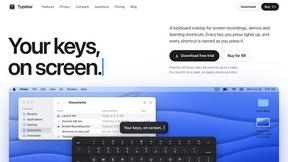
Typebar
Every key you press lights up on an on-screen keyboard, and each shortcut is named as you press it.
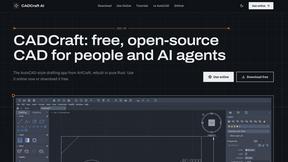
CADCraft
Free open-source 2D CAD built in Rust. AutoCAD-style CLI drafting, layers, dimensions, DWG/DXF support, and AI-agent automation via MCP.
Adobe Alternatives
Explore open-source creative software by workflow, platform and development stage, with comparisons and official project links.
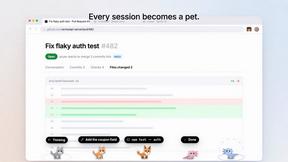
Agent Pets
Your Claude Code & Codex sessions as pets in Chrome. Approve, deny and reply to your coding agents from any tab.

YIX
AI image and video generation, photo editing, restoration and free prompt tools in one browser studio.

Nano AI
Create and edit AI images, generate videos, and compare models in one creative workbench.

Tesla Roadster AI
Tesla Roadster AI makes a 15-second Roadster ramp-flip video from one photo of a car, toy, or object. No watermark.

RoadsterVideo
RoadsterVideo turns a photo of your car into a 15-second Tesla Roadster ramp-flip AI video. No app, no prompt.

Play Jean Phil
Play Jean Phil turns one photo into a Jean Phil AI video: bowl cut, moustache and suit, eight scenes. 9:16 MP4, no prompt.

Gas Station Dance AI Generator
Browser-based AI generator that recreates the viral gas station dance video from 1-3 photos. 15s MP4 for TikTok, Reels and Shorts.

Unforgettable Car AI
Unforgettable Car AI makes the 15-second 24 UNO car-reveal trend from one selfie. 9:16 or 16:9 MP4, no watermark.

Ozil Goal AI
Ozil Goal AI turns one photo into an AI remake of Mesut Özil's famous 2016 chip-and-dribble goal against Ludogorets.

Manatee
A Mac app that opens damaged video, PDFs, archives and documents and writes out everything it can still read. $9 once, no uploads.
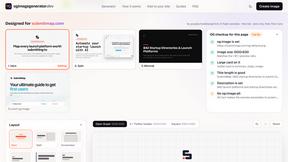
ogimagegenerator.dev
Paste a URL and AI designs on-brand Open Graph images from your page's colours, fonts and logo. Free, no sign-up.
About Easymotion - AI Motion Graphic Generator Alternatives
Easymotion - AI Motion Graphic Generator is a powerful browser-based platform that lets you create polished animated videos, including dynamic motion graphics and map animations, without needing to master complex timeline editing software. It sits at the intersection of AI Assistants, Content Creation, Design Tools, and Video, making it a go-to for turning static visuals, spreadsheets, and prompts into engaging content like SaaS promos, flowcharts, and geographic storytelling. Users often start searching for alternatives when they hit specific roadblocks, such as needing more granular control over animation physics, a different pricing structure for high-volume output, or integration with a specific video editing ecosystem they already use. When evaluating other options, look for tools that offer the same level of AI-driven automation for text-to-animation and image-to-video conversion, while also checking for flexible export formats like transparent background MOV files, direct social media aspect ratios, and a robust template library that can be customized without a steep learning curve. The best alternative will empower you to maintain a fast, iterative workflow where you can tweak colors, pacing, and labels through simple chat commands rather than manual keyframes. Prioritize platforms that support your specific use case, whether that’s creating animated charts for a client presentation or building reusable map animations for a travel vlog, and ensure the tool offers the exact export resolution you need for YouTube, TikTok, or Instagram Reels. Ultimately, the right choice will let you scale your video production without sacrificing the polished, professional finish that keeps your audience engaged and your projects on schedule.
FAQs about Easymotion - AI Motion Graphic Generator Alternatives
What is Easymotion - AI Motion Graphic Generator?
Easymotion is an AI-powered motion graphics and map animation generator designed for content creators, editors, founders, and marketers. It allows users to transform ideas, files, and static visuals into polished animated videos directly in a browser without needing complex timeline editing. The platform supports a wide range of content including SaaS product promos, flowcharts, animated charts, UI explainers, and geographic storytelling with flight routes and location pins.
Who is Easymotion - AI Motion Graphic Generator for?
Easymotion is built for content creators, video editors, startup founders, and marketers who need to produce high-quality motion graphics and map animations quickly. It is ideal for professionals who want to avoid the steep learning curve of traditional animation software and prefer to generate videos from prompts, images, spreadsheets, or PDFs. Whether you are creating social media content, client deliverables, product marketing videos, or presentations, Easymotion streamlines the entire animation workflow.
What are the main features of Easymotion - AI Motion Graphic Generator?
Key features include AI-driven animation generation from text prompts, image conversion, and data file imports like spreadsheets and PDFs. Users can edit animations by chatting with the AI to adjust colors, pacing, labels, and layout, and access a premium template library for quick starts. Export options include MP4 and MOV files with transparent backgrounds, supporting aspect ratios of 16:9, 9:16, 1:1, and 4:5 for platforms like YouTube, TikTok, and Instagram.
Is Easymotion - AI Motion Graphic Generator free?
The provided product description does not specify pricing details, so users should visit the official Easymotion website to check for free tiers, trial periods, or paid subscription plans. Typically, AI motion graphic tools offer a freemium model with limited exports or watermarked videos, while full access to premium templates, higher resolution exports, and commercial use rights requires a paid plan. It is best to review the current pricing page for the most accurate information.